Adding a 3090 to the Lab Without Summoning Infrastructure Goblins
A used RTX 3090 is still one of the most interesting homelab GPU upgrades you can make. Here’s why I added one, why I paired it with a Strix Halo box, and how to think about splitting workloads cleanly between CUDA and AMD graphics without turning your setup into a confused science project.
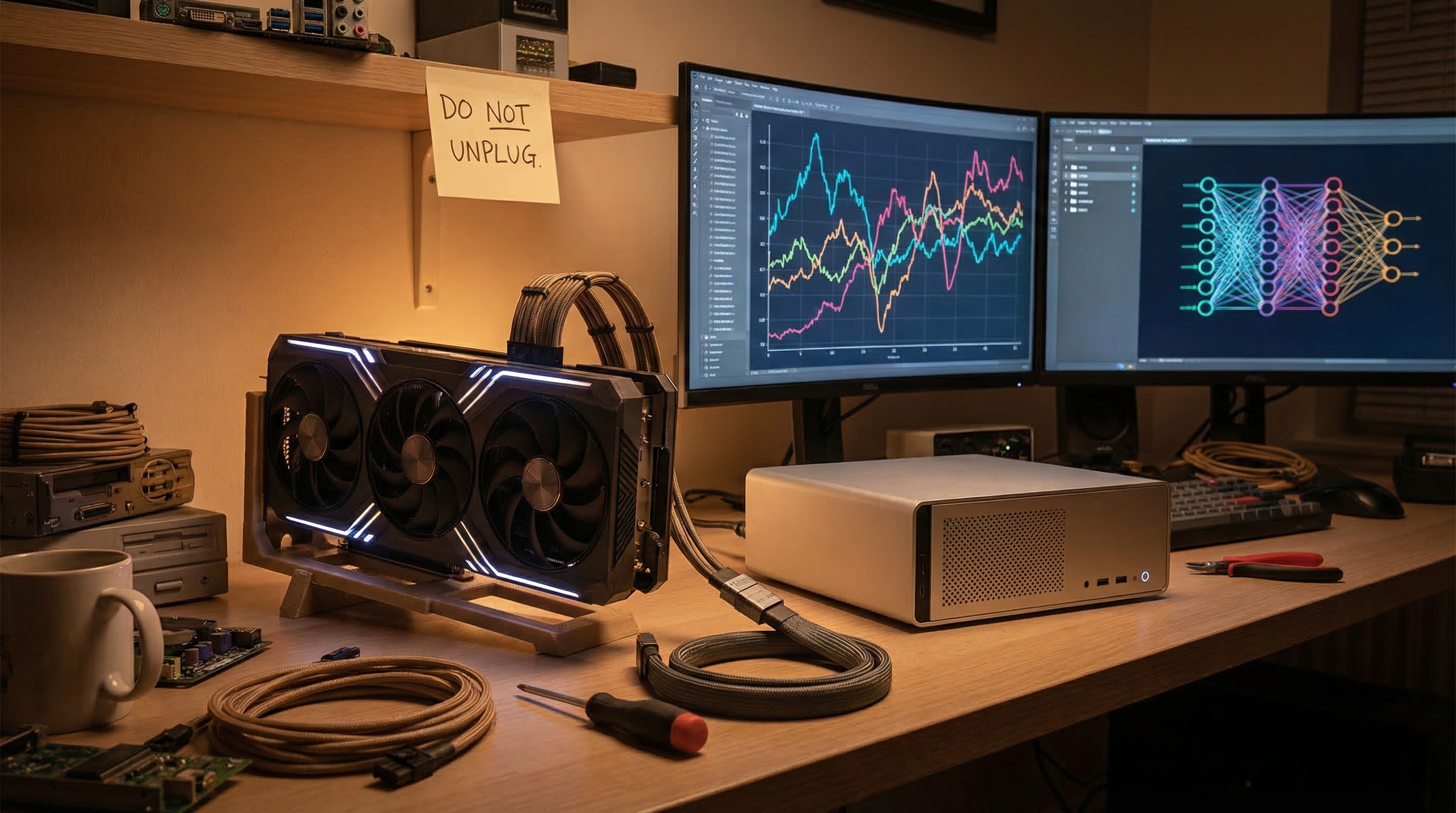
There is a particular kind of optimism involved in buying a used RTX 3090 for a homelab.
On paper, it’s obvious: 24GB of VRAM, strong CUDA support, and enough grunt to run genuinely useful local AI workloads without immediately falling over. In practice, it also means power draw, thermal management, PCIe weirdness, and the ever-present risk of discovering that your “simple upgrade” is actually a weekend-long dialogue with Linux.
Naturally, I did it anyway.
This post is about why a 3090 still makes sense in 2026, how it fits into a modern mixed-GPU homelab, and the design principle that matters most when you start combining different inference runtimes:
Don’t just add horsepower. Separate workloads intentionally.
Why a 3090 still matters
The fun thing about old high-end GPUs is that they age very differently depending on what you want from them.
If your only metric is gaming prestige, sure, there are newer and shinier cards. But in a lab context, the 3090 still has one enormous advantage:
24GB of VRAM is still useful in a way that many newer midrange cards simply aren’t.
That matters for:
- larger local models
- keeping quantised models resident without constant swapping
- running CUDA-native tools that are better supported on NVIDIA than anywhere else
- experimenting with multiple local AI services without instantly smashing into memory limits
A 3090 is also one of those parts that turns an otherwise ordinary machine into something much more interesting. It’s not just “faster graphics.” It changes what workloads are practical.
The actual lab problem
The lab already had an AMD-heavy lane for local inference.
That setup is great for a lot of things: efficient local serving, flexible experimentation, and squeezing a frankly suspicious amount of value out of modern integrated graphics. But the NVIDIA ecosystem still has a gravitational pull in AI land, mostly because CUDA support remains the path of least suffering for a lot of tooling.
So the goal wasn’t:
“Replace the existing stack.”
It was:
“Add a dedicated CUDA lane without breaking the part that already works.”
That distinction matters. A lot.
Because if you just bolt a new GPU into the environment and let every service discover it however it feels like, you don’t get a better lab. You get an ungoverned compute swamp.
The architecture decision that saves your sanity
The interesting part of this setup isn’t really the 3090 itself. It’s the split-brain design around it.
The lab now has two distinct ideas of “GPU work”:
Lane 1 — AMD / Strix Halo path
Used for lighter local inference, flexible services, and the stuff that already behaves well on the existing stack.
Lane 2 — NVIDIA / 3090 path
Used for CUDA-native workloads and jobs that specifically benefit from a big slab of VRAM and mature NVIDIA tooling.
That sounds obvious, but it’s the difference between a clean system and a haunted one.
Topology at a glance

This is the core idea: the host stays shared, but the workloads do not. One lane handles lighter always-on inference, the other handles the CUDA jobs that actually benefit from a big NVIDIA card.
If you try to make every service dynamically share every available accelerator with no explicit role separation, a few bad things happen very quickly:
- workloads fight over VRAM
- performance gets erratic
- debugging becomes archaeology
- failures look random when they’re actually routing mistakes
The fix is boring and wonderful:
give each lane a job.
Why mixed-GPU labs are interesting now
A few years ago, the easiest answer was just “pick one vendor and live with it.”
Now? It’s more interesting than that.
AMD hardware has become much more compelling for local AI experimentation, especially where memory architecture and cost efficiency matter. NVIDIA is still the safe default for broad compatibility and CUDA-heavy tooling. A mixed lab gives you both worlds, but only if you treat them as different instruments, not interchangeable blobs of silicon.
That’s the educational bit here:
Hardware diversity is only useful if your software topology reflects it.
If one GPU is better at:
- mature CUDA support
- widely-tested model runtimes
- heavyweight VRAM workloads
…and the other is better at:
- efficient always-on local inference
- lighter concurrent services
- good-enough performance without dedicating a whole box
…then the right answer isn’t “choose one.”
It’s:
use both, deliberately.
A note on eGPU weirdness
In this case, the 3090 is being paired with a compact host in a way that feels slightly illegal and extremely homelab.
That’s part of the charm.
External PCIe connectivity has reached the point where it can enable genuinely useful lab designs, not just novelty demos. But it also brings real-world caveats:
- link stability matters
- enumeration consistency matters
- thermals matter
- power delivery matters
- “it booted once” is not the same as “this is operationally sound”
That last point deserves emphasis. A lab build isn’t “done” when the device appears. It’s done when it appears reliably, survives reboots, and behaves predictably under load.
That’s less cinematic than a glamour shot of a GPU on a desk, but much more useful.
The biggest lesson: route intentionally
The easiest way to ruin a nice hardware upgrade is to let your model services pick runtimes by accident.
This happens more often than people admit.
A service silently falls back to CPU. Another points at the wrong backend. A monitoring worker starts hammering the least appropriate machine in the environment. Suddenly a NAS is doing interpretive dance under 100% load and everyone is pretending this was part of the design.
So the post-upgrade rule is simple:
- decide which service owns which GPU lane
- make that explicit in config
- verify with actual runtime checks, not vibes
- treat fallback behavior as a bug unless it was intentionally designed
That’s what turns “I added a 3090” into “I improved the lab.”
What this setup is good for
With the split done properly, the 3090 lane becomes the place for:
- bigger local Ollama models
- CUDA-native inference experiments
- high-VRAM jobs that don’t fit comfortably elsewhere
- testing tools that assume NVIDIA support first and ask questions never
Meanwhile, the existing AMD lane can keep doing what it’s good at:
- steady always-on services
- lighter model serving
- concurrent tasks that don’t need the full CUDA hammer
That gives the lab something far more valuable than raw benchmark numbers:
predictability.
And predictability is one of those uncool words that becomes very cool the first time your infrastructure stops surprising you.
Final thought
The 3090 remains a fantastic homelab GPU not because it’s new, but because it sits at a sweet spot of:
- enough VRAM to matter
- enough CUDA support to stay useful
- enough age to become financially reasonable on the second-hand market
The trick is not just acquiring one. The trick is giving it a clear role in the system.
That’s the real upgrade.
Not “more GPU.”
Better workload design.